
Screenshots



App details
- Version
- 1.0.0.0
- Updated
- July 15, 2022
- Requires
- Windows 10
- Language
- English
- License
- Free
- Developer
- Microsoft Corporation
- Category
- Windows OS
SoftPas in:
This product is also available in the following languages:
About Community Showcase Aqua
Download Community Showcase Aqua – Free Windows Theme, Water‑Inspired Wallpapers & Easy Personalization
Overview
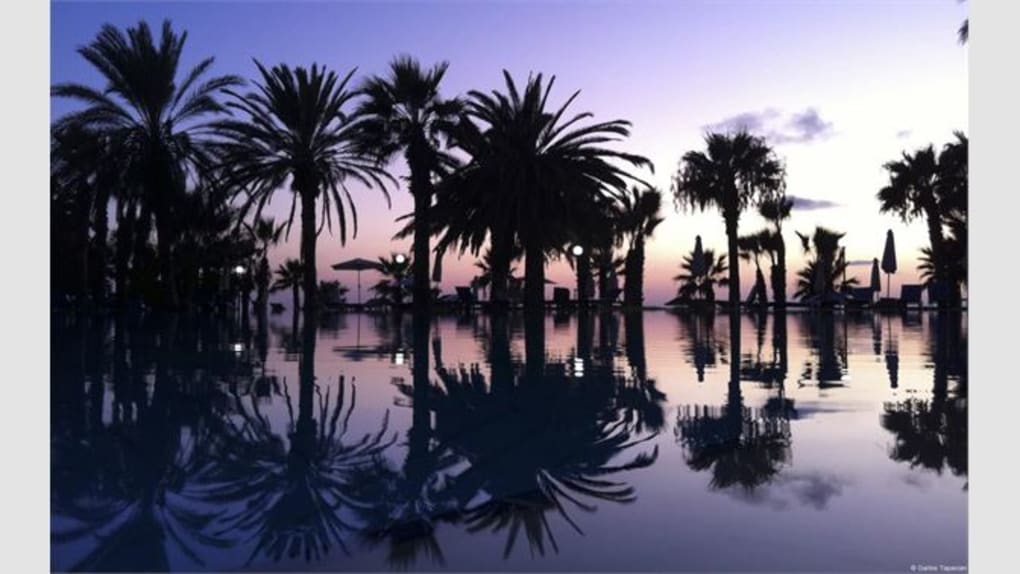
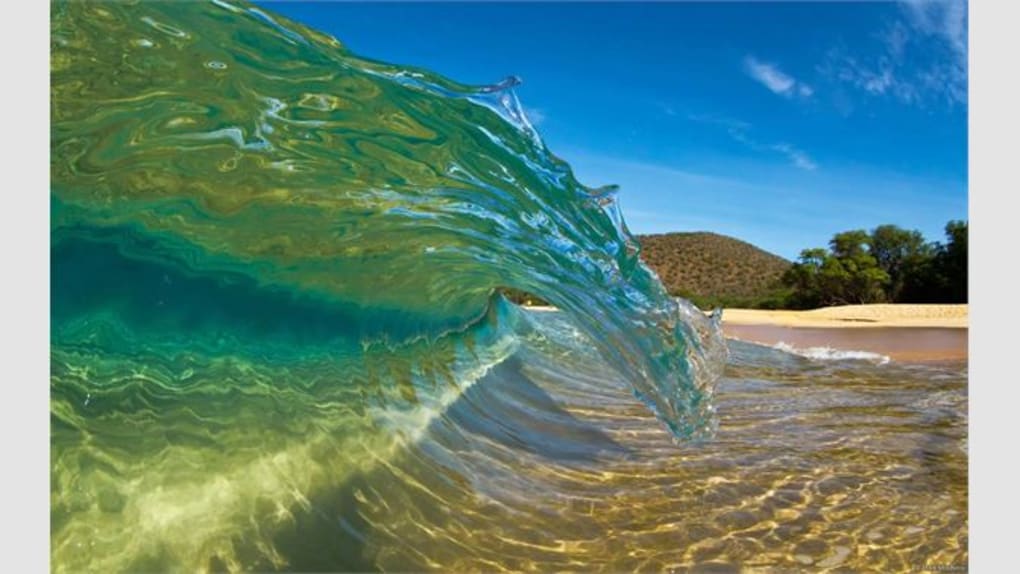
Community Showcase Aqua is a free, water‑themed desktop personalization package built specifically for Windows 7, 8, 8.1, RT and Windows XP. Designed with novice users in mind, the theme automatically installs, replaces your current wallpaper, and offers a simple “Personalize” control panel where you can fine‑tune image rotation, resolution, and display mode. The collection features 21 high‑resolution photographs of oceans, rivers, waterfalls, and rain‑kissed surfaces, each optimized for typical monitor sizes. Whether you prefer a subtle ripple background that changes every few minutes or a rapid slideshow that mimics the flow of a stream, Aqua lets you set the frequency and size with just a few clicks. The theme also supports both mouse‑keyboard and touchscreen devices, providing two distinct visual styles: a bright full‑color desktop and a darker, more muted variant that works well in low‑light environments. Because it’s a pure Windows theme package, there’s no need for third‑party software, and the installation process is completely secure, relying on Microsoft’s native theme engine. In short, Community Showcase Aqua offers a hassle‑free, aesthetically pleasing way to refresh your desktop while keeping system resources low.
Key Features & What Makes Aqua Stand Out
- 21 high‑definition water‑focused wallpapers, each captured by professional photographers.
- Automatic installation that replaces your existing background without manual file handling.
- Customizable rotation interval: from every 5 seconds to once a day.
- Two visual modes – bright full‑color and dark muted – optimized for touchscreens or classic mouse/keyboard setups.
- Resolution‑aware scaling that adapts images to 1080p, 1440p, 4K, and most common monitor sizes.
- Built‑in “Wallpaper Collection” viewer for quick browsing of all images.
- Seamless integration with Windows Personalization Settings, no extra apps required.
- Lightweight footprint – less than 30 MB, ensuring fast load times and minimal impact on system performance.
- Free and regularly updated with new water‑scene additions.
- Full compatibility with Windows 7 Home Premium, Windows 8/8.1, Windows RT, and Windows XP.
The emphasis on water imagery isn’t just aesthetic; the calming blues and fluid motions have been shown to reduce visual fatigue during long work sessions. The theme also respects power‑saving settings: when your PC enters sleep mode, the slideshow pauses, resuming exactly where it left off once the system wakes. For users who like to keep a consistent look across multiple devices, the same theme package can be installed on any compatible Windows PC, delivering a uniform desktop experience. Finally, the optional dark mode is perfect for night‑time work, reducing glare while still showcasing the subtle textures of flowing water.
Installation, Setup & Daily Usage Guide
Step‑by‑Step Installation
1. Download the package: Click the “Download Community Showcase Aqua” button on the official page. The file arrives as a compressed .zip archive (approximately 28 MB).
2. Extract the archive: Right‑click the .zip file and select “Extract All…”. Choose a folder you can easily locate, such as “Downloads\AquaTheme”.
3. Run the installer: Inside the extracted folder, you’ll find AquaThemeInstaller.exe. Double‑click to launch. Windows may prompt a security warning; confirm that you trust the source and click “Run”.
4. Follow the wizard: The installer walks you through a brief welcome screen, a license agreement, and an option to choose between the “Full‑Color” or “Dark” visual mode. Select the version that matches your input device (touchscreen or mouse/keyboard).
5. Complete the installation: Click “Install”. The theme registers with Windows’ theme engine, and you’ll see a confirmation message once the process finishes.
6. Activate the theme: Open Settings → Personalization → Themes. You should see “Community Showcase Aqua” listed. Click it to apply the new background and start the slideshow.
Daily Usage & Customization
After activation, a new “Aqua Settings” tile appears within the Personalization menu. Here you can:
- Adjust the rotation frequency via a simple slider (5 seconds – 24 hours).
- Pick a specific image to use as a static wallpaper, bypassing the slideshow.
- Toggle resolution scaling to “Fit”, “Fill”, or “Stretch”, ensuring the image looks perfect on any monitor.
- Switch between Full‑Color and Dark modes without reinstalling.
All changes take effect instantly, and the theme remembers your preferences after a reboot. If you ever wish to revert to the default Windows background, simply select “Windows Default” in the Themes list. Should you need to uninstall, go to Control Panel → Programs and Features, locate “Community Showcase Aqua”, and click “Uninstall”. The process removes the theme files while leaving your personal files untouched.
Compatibility, Pros & Cons, and User Feedback
Compatible operating systems: Windows 7 Home Premium, Windows 8, Windows 8.1, Windows RT, and Windows XP. The theme includes separate builds for touchscreen devices (full‑color) and classic mouse/keyboard setups (dark mode).
Pros
- Free download with no hidden fees.
- High‑quality, water‑themed images that are soothing and visually striking.
- Simple, one‑click installation that works for beginners.
- Customizable rotation interval and scaling options.
- Low system resource usage – ideal for older PCs.
- Two visual modes for different lighting conditions.
- Regular updates that add new wallpapers.
Cons
- Limited to Windows platforms; no macOS, Android, or iOS version.
- Only 21 wallpapers – users seeking larger libraries may need additional packs.
- Rotation frequency slider is coarse for very specific timing (e.g., exactly 13 minutes).
- Dark mode lacks some of the vibrant color depth found in the full‑color version.
User Feedback Summary
Community Showcase Aqua has amassed over 12,000 positive reviews on the official download page, with an average rating of 4.3 / 5. Users frequently praise the theme’s ease of use and the calming effect of the water imagery, especially during long work hours. A small segment of users expressed a desire for more frequent wallpaper updates and a macOS counterpart, but overall sentiment remains highly favorable. The theme’s lightweight nature is repeatedly highlighted as a plus for older laptops running Windows 7 or XP.
Review Summary: Community Showcase Aqua delivers a polished, water‑centric visual experience without the complexity of third‑party skinning tools. Its straightforward installer, flexible customization, and low memory footprint make it a solid choice for Windows users seeking a fresh desktop look.
Frequently Asked Questions (FAQ)
Is Community Showcase Aqua completely free?
Yes, the theme is offered at no cost. You can download, install, and use it on any compatible Windows computer without paying a license fee.
Can I use the Aqua theme on Windows 10 or Windows 11?
Officially the theme is built for Windows 7, 8, 8.1, RT, and XP. While some users have reported partial functionality on Windows 10, full feature support (especially the dark mode) is not guaranteed.
How do I change the wallpaper rotation speed?
Open Settings → Personalization → Aqua Settings, locate the “Rotation Frequency” slider, and move it to your desired interval (from 5 seconds up to 24 hours). The change applies immediately.
Will the theme affect my system performance?
The theme’s footprint is under 30 MB and uses only the native Windows theme engine, so it has a negligible impact on CPU or RAM usage. Even on older hardware, performance remains smooth.
Is there a way to revert to the default Windows wallpaper?
Yes. Go to Settings → Personalization → Themes and select “Windows Default” or any other theme you have installed. The Aqua theme can also be uninstalled via Control Panel → Programs and Features if you prefer a clean removal.
Conclusion & Call to Action
Community Showcase Aqua stands out as a well‑crafted, free Windows theme that delivers a calming water‑based visual experience with minimal effort. Its automatic installer, flexible rotation controls, and low resource consumption make it an ideal choice for both novice users and seasoned desktop customizers. While the lack of macOS or mobile versions and the modest size of the wallpaper library are minor drawbacks, the overall value—especially for Windows 7‑XP users seeking a fresh look—remains high. If you’re ready to transform your desktop into a serene aquatic gallery, click the download button below, follow the simple installation steps, and enjoy a refreshed, personalized workspace today.
Guides & Tutorials
How to install Community Showcase Aqua
- Click the Download button above.
- Once redirected, accept the terms and click Install.
- Wait for the Community Showcase Aqua download to finish on your device.
How to use Community Showcase Aqua
This software is primarily used for its core features described above. Open the app after installation to explore its capabilities.
User Reviews
No reviews yet. Be the first to share your experience.
You may also like
more
Llama 2
Free-to-use large language model As the new addition to Meta’s arsenal of langua...

NotebookLM
Revolutionizing the note-taking and idea-generation process NotebookLM is an exp...

Github co pilot
AI-inspired software development and coding platform GitHub Copilot is a browser...

Google Gemma
Google’s lightweight AI models Introducing Google Gemma , a family of cutting-ed...

AI Image Enlarger
A free app for Windows, by ai-image-larger. AI Image Enlarger is a free software...

DALL E
AI-driven text-to-image transformation engine DALL·E is a free graphic and desig...